C4
atlas.c4 renders a System Landscape and diagrams for Systems and Components
that support diagrams. It requires atlas.standard-catalog and targets the
architecture.subject.v1 capability. It does not own an Entity Kind.
Enablement, configuration, and permissions
Select C4 with Standard Catalog, then compose the distribution. C4 has no
plugin-specific configuration or secret. Viewing requires
atlas.c4.diagram.read; the central policy evaluator checks this permission.
Workflows
Open System Map in the navigation for the catalog-wide System Landscape.
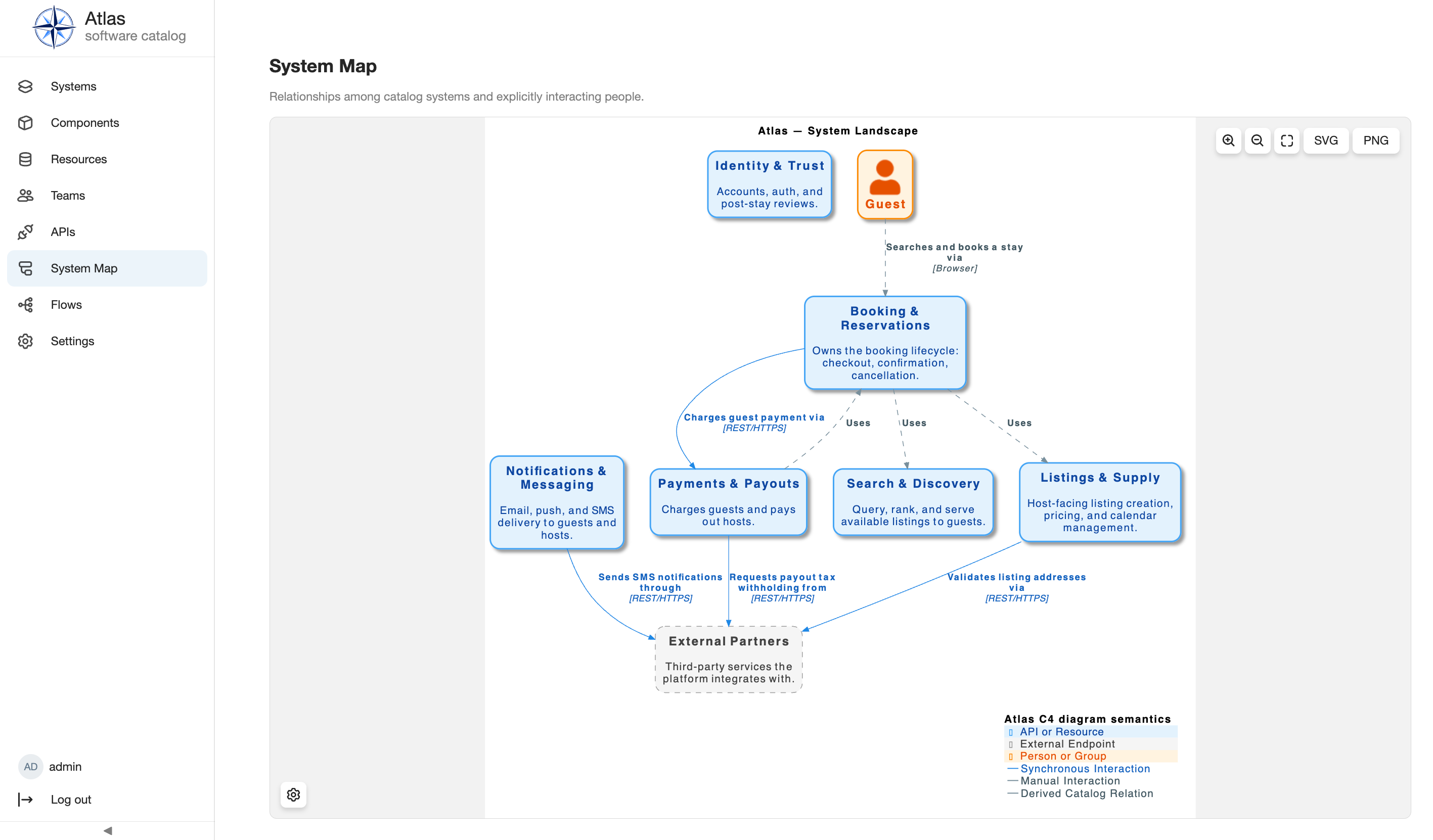
On a System or Component detail page, open its diagram tab when available for the same entity's scoped System Context or System Architecture view. Use the controls to choose a layout and show or hide the title, legend, selected label, person sprite, and stereotypes. The UI stores these preferences locally. Download the current rendering as SVG or PNG. For how diagrams relate to authored relationships, see Use feature-specific views.
API, operations, and extensions
Diagram endpoints return SVG by default and support PNG and attachment downloads. Use the running generated HTTP API reference for exact parameters. Rendering uses local PlantUML-compatible payloads. C4 has no scheduled jobs, migrations, or plugin-specific settings. To make another kind diagram-capable, authors declare the documented capability rather than depend on a C4 model; see Entity kinds and facets.
Limits and troubleshooting
Only supported diagram targets and views render. If a tab is missing, the plugin may be absent, the entity may lack the capability, or the reader may lack permission. A rendering error indicates a local rendering dependency or unsupported data condition. Inspect backend logs and the troubleshooting guide. C4 is read-only. Edit the catalog entities and declared relationships that supply the diagram.
Next steps
Continue with catalog detail inspection, Operating Atlas, architecture concepts, plugin contributions, and the generated HTTP API reference.