Flows
atlas.flows adds ordered process documentation written by users. A Flow has a
home System and requires atlas.standard-catalog; it is not a Catalog Entity
and has its own list, detail, create, and edit views.
Enablement, configuration, and permissions
Select Flows with Standard Catalog and run normal distribution composition.
There is no plugin-specific configuration or secret. Reads require
atlas.flows.flow.read; create, update, and delete require
atlas.flows.flow.edit, checked against the home System's owner Team.
Create and edit a Flow
Choose Flows in the left navigation. Filter or search the list, then create a Flow for its home System. Add steps for catalog entities, plain text, external participants, Query endpoints, or Event operations, and set their order. Edit labels, summaries, connections, and layout positions. Reopen the detail view to verify the saved graph and linked entities.
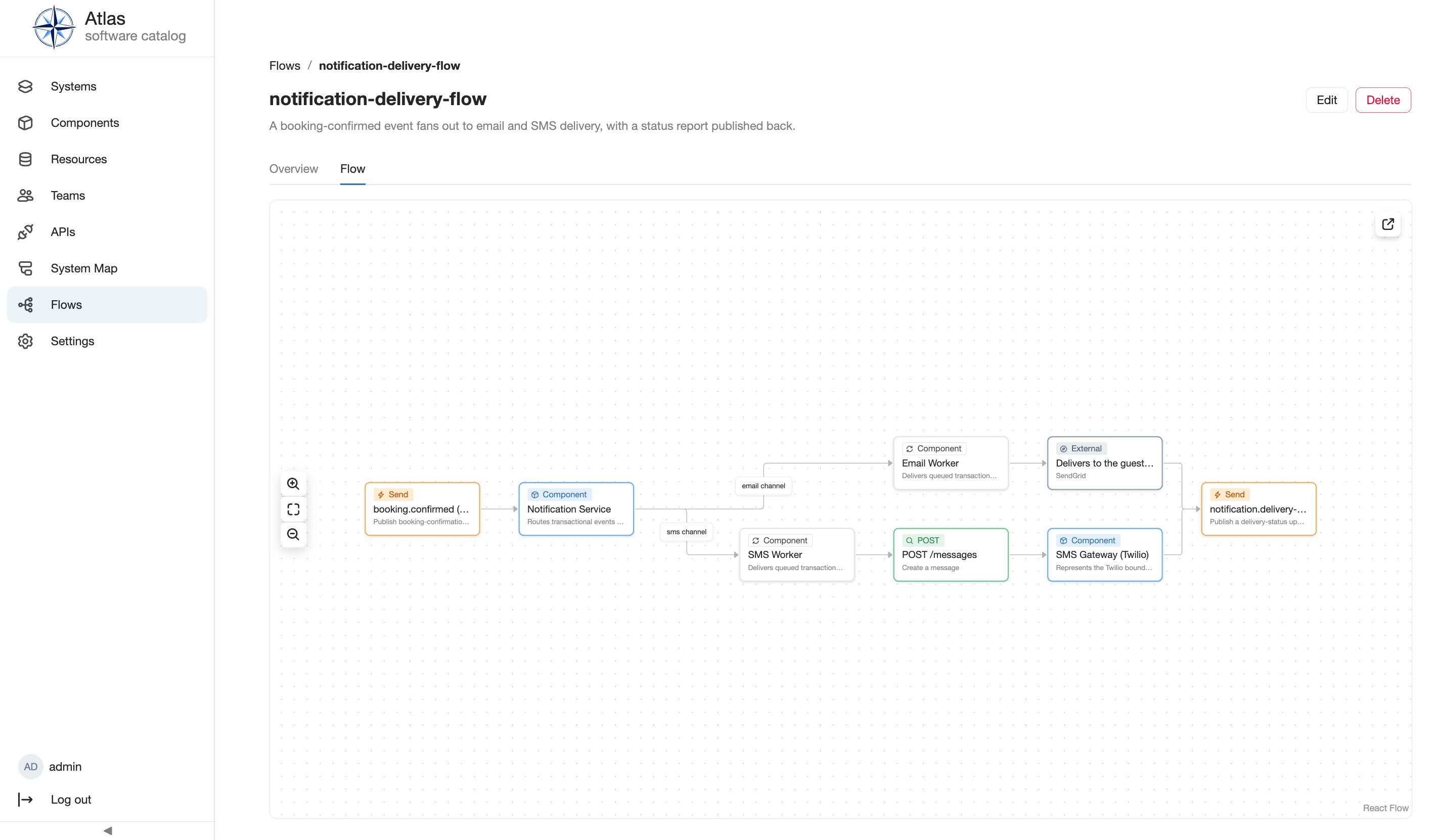
Query and Event pickers require atlas.apis; unavailable or removed
references remain visible and are not rewritten. The shared entry path is
Use feature-specific views.
API, operations, and extension surface
The running generated HTTP API reference defines Flow CRUD operations and filters. Flows register a purge-reference scanner so an entity purge can be blocked by Flow references. There are no scheduled jobs, plugin settings, or public extension points. Plugin authors can review the frontend and backend implementation in Plugin Development.
Limits and troubleshooting
A Flow requires a resolvable home System; step payloads reject incompatible or cyclic connections and mutually exclusive reference forms. Query/Event steps cannot be created when APIs is not selected. A forbidden write means the user is not a member of the home System owner's Team. Resolve reference and layout errors before retrying; do not treat a Flow as an entity lifecycle record.
Next steps
Continue with catalog workflows, permissions, distribution operations, and the Plugin API reference.