PlantUML Styles and Options
The PlantUML backend supports several layout and styling options that control diagram direction, legend visibility, and overall visual appearance.
See the C4-PlantUML docs for additional information.
Layout Options
Layout behavior is configured via the PlantUMLRenderOptionsBuilder
builder:
from c4.renderers.plantuml import PlantUMLRenderOptionsBuilder

render_options = (
    PlantUMLRenderOptionsBuilder()
    .layout_landscape()   # Horizontal layout
    .show_legend()        # Display legend
    .build()
)
You can pass render_options to PlantUMLRenderer.
See the PlantUMLRenderOptionsBuilder reference section for the complete list of available methods and configuration options.
Layout configuration can also be set via RenderOptions.
C4 Visual Styles
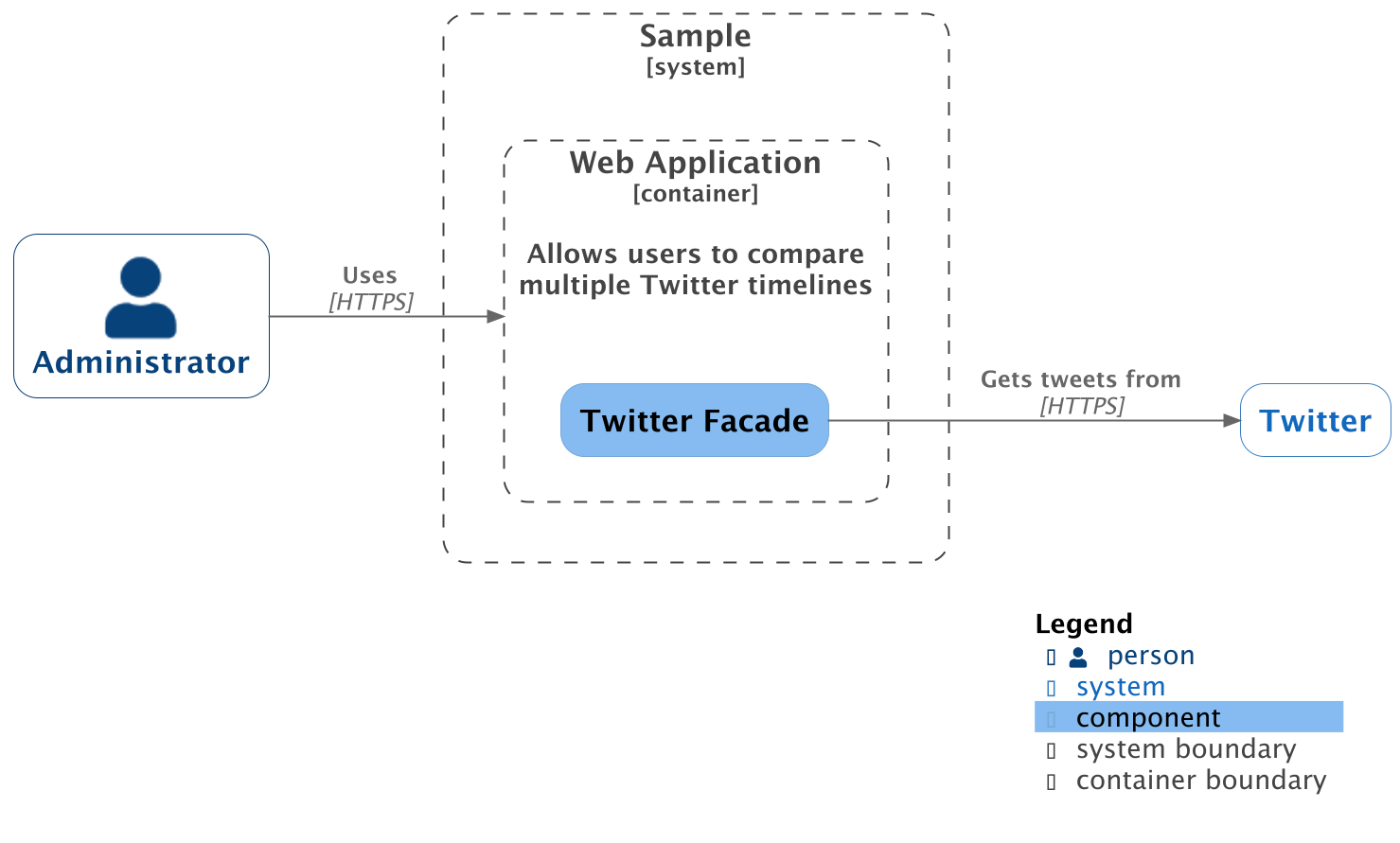
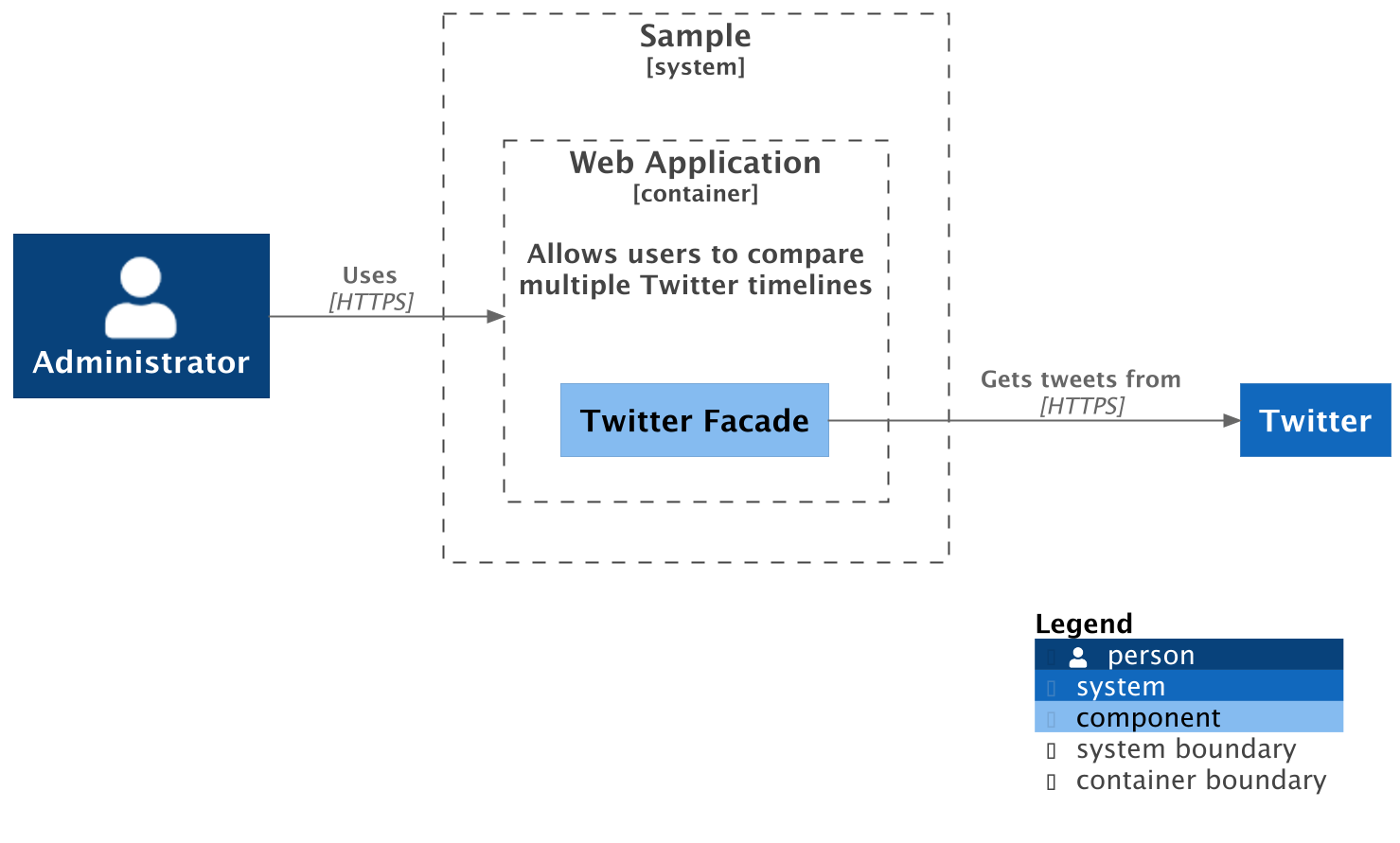
Starting July 2025, the official c4model.com website introduced a refreshed visual style for C4 diagrams.
The PlantUML renderer supports both:
- Classic style (default)
- New C4 style (opt-in)
Classic Style (Default)
from c4 import (
    Component,
    ComponentDiagram,
    ContainerBoundary,
    Person,
    PNG,
    System,
    SystemBoundary,
)
from c4.contrib.plantuml import RelRight
from c4.renderers.plantuml import (
    PlantUMLRenderer,
    LocalPlantUMLBackend,
    PlantUMLRenderOptionsBuilder,
)


with ComponentDiagram() as diagram:
    admin = Person("Administrator")

    with SystemBoundary("Sample"):
        with ContainerBoundary(
            "Web Application",
            "Allows users to compare\nmultiple Twitter timelines",
        ) as web_app:
            twitter_facade = Component("Twitter Facade")

    twitter = System("Twitter")

    admin >> RelRight("Uses", technology="HTTPS") >> web_app
    twitter_facade >> RelRight("Gets tweets from", technology="HTTPS") >> twitter

    render_options = PlantUMLRenderOptionsBuilder().layout_landscape().show_legend().build()

    renderer = PlantUMLRenderer(
        backend=LocalPlantUMLBackend(),
        render_options=render_options,
    )


renderer.render_file(
    diagram,
    output_path="diagram.png",
    format=PNG,
)
This produces the classic C4 visual style:
New C4 Style
To enable the updated visual style, pass use_new_c4_style=True
to PlantUMLRenderer:
from c4 import (
    Component,
    ComponentDiagram,
    ContainerBoundary,
    Person,
    PNG,
    System,
    SystemBoundary,
)
from c4.contrib.plantuml import RelRight
from c4.renderers.plantuml import PlantUMLRenderer, LocalPlantUMLBackend
from c4.renderers.plantuml import PlantUMLRenderOptionsBuilder


with ComponentDiagram() as diagram:
    admin = Person("Administrator")

    with SystemBoundary("Sample"):
        with ContainerBoundary(
            "Web Application",
            "Allows users to compare\nmultiple Twitter timelines",
        ) as web_app:
            twitter_facade = Component("Twitter Facade")

    twitter = System("Twitter")

    admin >> RelRight("Uses", technology="HTTPS") >> web_app
    twitter_facade >> RelRight("Gets tweets from", technology="HTTPS") >> twitter

    render_options = PlantUMLRenderOptionsBuilder().layout_landscape().show_legend().build()

    renderer = PlantUMLRenderer(
        backend=LocalPlantUMLBackend(),
        render_options=render_options,
        use_new_c4_style=True,
    )


renderer.render_file(
    diagram,
    output_path="diagram.png",
    format=PNG,
)
This produces the updated C4 visual style: